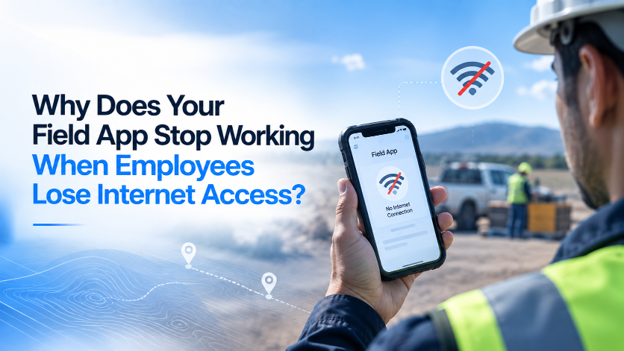
A technician finishes a repair in a hospital basement, opens the company app to log the job, and stares at a spinner that never stops. An inspector at a rural site cannot load the asset history she needs. A driver in a parking garage cannot capture a signature.
These moments seem minor, but across a growing workforce they add up to lost hours, duplicate data entry, and frustrated customers.
In most cases, the culprit is architecture, not the network. Many field apps are built as thin windows into a cloud server. They store little data on the device, send every form straight to the server, and require a live connection to keep users signed in. That design shines in an office demo and breaks down at real job sites.
This is why leaders evaluating custom mobile app development services now ask a sharper question at the outset. Will the app keep working when the signal disappears?
As companies scale, fragile foundations become growth bottlenecks. Data arrives late or goes missing, office staff re-type paper notes, and every new crew or region multiplies the problem. Enterprise-grade applications treat connectivity as unpredictable by design, and that decision shapes how smoothly a business can grow.
What Defines an Enterprise-Grade Field Application
A field app becomes enterprise-grade when it performs reliably in real conditions, not just ideal ones. Field apps increasingly include smart job routing, automated photo analysis, and predictive maintenance alerts, so organizations often pair their mobile roadmap with custom AI software development services that extend those capabilities to devices in the field.
Scalability
The system must handle growth without slowing down, including the end-of-shift surge when hundreds of devices reconnect and sync a full day of work at once.
Security
Offline capability means sensitive data lives on phones and tablets. Enterprise apps encrypt that local data, support biometric sign-in, and let administrators remotely wipe a lost device.
Performance
Well-built field apps load information stored on the device first, so screens open instantly with or without signal. The network is only needed for syncing.
Reliability
Nothing entered in the field should vanish. An offline-first design, built to work without a connection and sync later, saves changes on the device and uploads them automatically when a signal returns. Clear indicators show workers their data is safe.
Integration Capabilities
Field data creates value only when it reaches core systems such as ERP, CRM, billing, and inventory platforms. Integrations must handle delayed updates that arrive in batches without creating duplicates.
Key Pillars for Long-Term Growth
Modular Architecture: Microservices vs Monolith
A monolith bundles every function into one system, which is faster to launch but harder to scale in parts. Microservices split functions such as sync, scheduling, and reporting into independent services, so the sync engine can scale on its own during peak hours.
Many growing companies start with a well-organized monolith and separate services as demand rises.
Cloud-Native Development
Cloud-native systems are designed for the cloud from day one. They scale automatically and use message queues, which line up incoming updates so nothing is lost when many devices reconnect at once. That keeps performance steady as the workforce grows.
Data-Driven Decision Making
Offline-first apps should timestamp every action when it happens on the device, not when it reaches the server. That keeps job durations, compliance records, and productivity reports accurate, while sync logs can reveal where coverage gaps slow crews down.
Automation and AI Readiness
Clean, consistent field data is the raw material for future automation. Modern devices can even run lightweight AI models offline, reading meter values or spotting equipment damage in a photo. Capturing data in standard formats now prevents costly cleanup later.
Common Mistakes Businesses Make With Field Apps
Short-Term Development Mindset
Launching an online-only app with plans to “add offline later” is one of the costliest shortcuts in field software. Offline support affects data storage, screen behavior, and syncing, so retrofitting it often means rebuilding much of the app.
Ignoring Scalability Early
An app tested by five employees at headquarters rarely exposes real problems. Without testing on weak networks and simulating hundreds of simultaneous syncs, issues surface after rollout, when they are most disruptive and costly.
Choosing the Wrong Tech Stack
A tech stack is the set of tools behind an app. Some options offer weak support for storing data on the device and syncing it later. Choosing technology based on familiarity or hype instead of field requirements leads to years of painful workarounds.
Best Practices for Building Future-Ready Field Apps
Strategic Planning Before Development
Map where employees work and how connectivity behaves there. Decide which tasks must function offline, and set rules for conflicts, such as what happens when the office and a technician edit the same work order at once. These choices belong in planning, long before they become post-launch fixes.
Choosing the Right Development Partner
Ask potential partners how they resolve sync conflicts, test on poor networks, and protect data stored on devices. Their answers reveal whether offline capability is a core discipline or an afterthought.
NewAgeSysIT, a custom software engineering company headquartered in Princeton, New Jersey, is one example of a partner working across mobile, web, cloud, and AI development. The firm primarily serves businesses across the United States, and its solutions include software for HVAC and other field service sectors. Its NJ base sits in a region full of logistics hubs, healthcare networks, and infrastructure projects, where field teams regularly move between connected offices and low-signal job sites.
Continuous Optimization and Iteration
Treat launch as the first release rather than the final one. Track failed syncs, pending uploads, and app crashes, then gather feedback directly from field crews. Small, regular updates keep the app aligned with changing workflows and devices.
Real-World Scenario: From Paper Workarounds to Same-Day Invoicing
Consider a regional facilities maintenance company whose technicians service equipment in mechanical rooms, crawl spaces, and remote properties. Its original app required a live connection, so crews wrote notes on paper whenever the signal dropped and re-entered them later. Errors crept in, invoices were delayed, and dispatchers lacked real-time visibility.
Once the company rebuilt the app with an offline-first architecture, technicians could open work orders, capture photos, and collect signatures anywhere. Updates synced automatically when devices reconnected, with original timestamps intact. Invoices went out the same day, manual re-entry disappeared, and the company added crews without expanding its back-office team.
Conclusion
Connectivity will never be perfect, and field apps should not pretend otherwise. Offline-capable applications protect data integrity, keep crews productive, and give leaders accurate information for growth decisions. Because their architecture reflects real conditions, they also scale more gracefully.
For decision-makers planning their next digital investment, the most valuable step often comes before any code is written: a candid architecture review with experienced engineers. Investing in a scalable, well-architected foundation costs far less than rebuilding later and gives the business room to grow.