


Community-created add-ons are changing Minecraft Bedrock on mobile from a fixed sandbox into a platform that can be reshaped around different play styles. On phones and tablets, players can now turn familiar worlds into survival overhauls, creature collections, furniture projects, combat experiments, or themed adventures without switching to Java Edition.
Why Community Add-Ons Matter More for Mobile Bedrock Players
The ecosystem is easier to explore because independent community platforms such as MCPE DL help Bedrock players discover add-ons, maps, textures, and other projects created for the mobile version of the game. For Android users, these libraries act as a bridge between official updates and the much faster rhythm of community experimentation.

Bedrock add-ons usually work through behavior packs, resource packs, or both. Behavior packs influence entities, items, recipes, and gameplay rules, while resource packs control textures, sounds, models, and animations. Together, they can turn a simple modification into something closer to a compact expansion.
- Creature packs can add new animals, hostile mobs, bosses, or fantasy species.
- Furniture projects can expand interior building without changing the main survival loop.
- Combat add-ons can introduce weapons, armor, abilities, and different encounter styles.
- Utility packs can improve information, navigation, or building workflows.
- Themed projects can turn a world toward horror, technology, fantasy, or role-playing.
Mobile Add-Ons Change How Existing Worlds Are Used
The biggest advantage is that players do not need to abandon a long-term world just to experience something new. A survival save that already contains farms, villages, transport routes, and large builds can gain fresh purpose when a new creature set, decoration pack, or progression system is introduced.
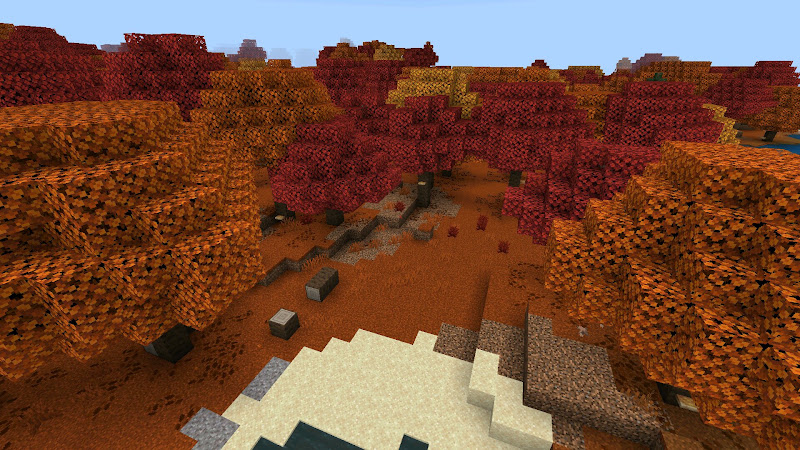
This is especially useful on mobile, where many users keep one persistent world. New mobs can make old biomes worth revisiting, while furniture or building packs can turn finished bases into new design projects.
Community content also supports narrower ideas than official updates usually target. Mojang must design features for a huge audience, while an independent creator can focus on a single mechanic, theme, or visual style. That difference encourages experimentation and gives mobile players more specialized choices.
| Add-On Type | Main Purpose | How It Changes Mobile Play |
| Behavior pack | Changes entities and gameplay rules | Adds new mechanics and interactions |
| Resource pack | Changes textures, sounds, and models | Refreshes the look and atmosphere of a world |
| Furniture pack | Adds decorative objects | Expands building and role-playing options |
| Creature expansion | Adds mobs and encounters | Makes exploration less predictable |
| Utility add-on | Improves specific tasks | Makes mobile controls or information easier to manage |
Compatibility Becomes the Main Technical Challenge
The freedom of add-ons comes with a cost: Bedrock itself keeps changing. A project created for one version may depend on components, experiments, scripts, or file structures that behave differently after a major update. A world can still open while individual parts of an add-on silently stop working.
That is why version notes matter. Players should check whether a project supports their current Bedrock build. Creators should also state which experiments are required and whether a separate resource pack must be activated.
Testing in a copied world is the safest approach. If an entity disappears, an animation fails, or a custom item loses its texture, the original save remains untouched. This is even more important when several add-ons are installed at the same time because overlapping behavior or resource definitions can create conflicts that are difficult to trace.
Performance Is Part of Add-On Quality on Mobile
Mobile hardware makes optimization a practical part of content design. Two Android phones can run the same Bedrock version but handle a complex add-on very differently because their processors, GPUs, memory, storage speeds, and cooling systems are not equal.
High-resolution textures, detailed models, many custom entities, and constant particles can increase memory use and reduce frame rate. Good mobile add-ons therefore balance visual ambition with reasonable resource demands.
Players can also reduce problems by testing one project at a time, lowering render distance, and disabling unnecessary visual packs. This makes it easier to distinguish a poorly optimized add-on from a device limitation or a conflict between several packs.
- Check the supported Bedrock version before importing a project.
- Back up important worlds before activating new behavior packs.
- Test large add-ons separately before combining them with others.
- Use moderate graphics settings on weaker phones.
- Remove outdated packs that are no longer needed.

Community Content Creates a Second Update Cycle
Official Minecraft releases remain the foundation of Bedrock, but community creators effectively create another update cycle around the game. New maps, add-ons, textures, and experiments can appear between Mojang releases, giving players reasons to return even when the base game has not changed.
This also changes how mobile players search for content. Instead of looking only for a version number, they search for stronger bosses, more animals, furniture, vehicles, horror, or a different visual style. Community creators can respond quickly to these specific interests.
The result is a broader mobile ecosystem in which Minecraft Bedrock functions as both a game and a framework for user-made experiences. Official updates provide the core systems, while add-on developers explore smaller ideas, unusual mechanics, and specialized themes that keep existing worlds flexible.
FAQ
What is a Minecraft Bedrock add-on?
A Bedrock add-on is community-created content that can modify resources, entity behavior, items, blocks, sounds, textures, or other gameplay systems.
Do Bedrock add-ons work on Android?
Many do, but compatibility depends on the Minecraft version, the project requirements, and the capabilities of the device.
Can an update break an existing add-on?
Yes. Changes to components, experiments, scripts, or resource formats can make older projects partially or fully incompatible.
Should add-ons be tested in a separate world?
Yes. A copied or separate world is safer, especially when using complex behavior packs or several projects together.
Why can the same add-on perform differently on two phones?
Different processors, graphics hardware, memory, storage, drivers, and thermal limits can produce different performance with identical Bedrock content.